NSDL portal · Free · Browser-based
NSDL Pan Card Resizer
Resize your photo and signature to the exact NSDL spec — 197×276px photo, 354×157px signature — and compress each one to fit under the file-size limit automatically.
Applying through UTI instead? Their spec is different — see the UTI resizer.
Form field A
NSDL photo (197×276)
Form field B
NSDL signature (354×157)
Reference
The NSDL spec at a glance
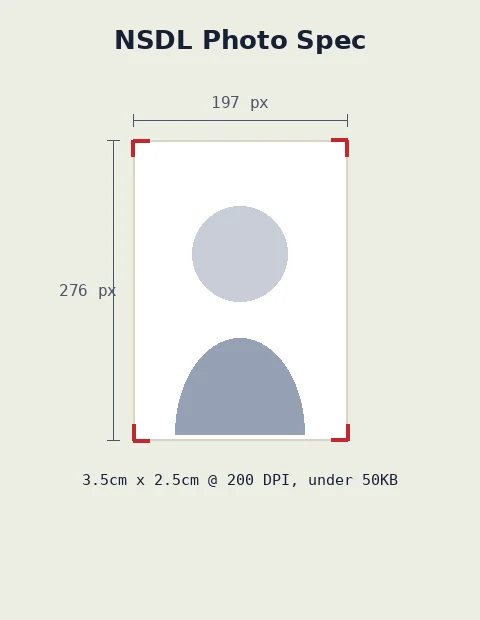
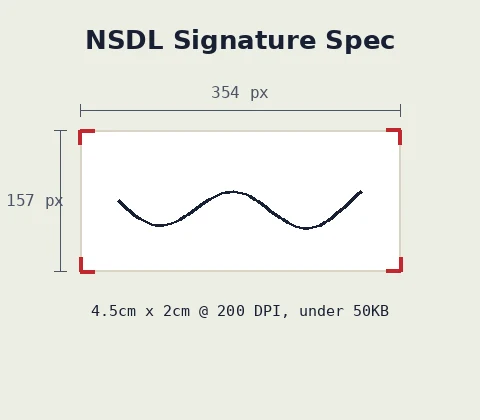
| Field | Pixels | Physical size | DPI | Max size | Format |
|---|---|---|---|---|---|
| Photo | 197×276 | 2.5cm x 3.5cm | 200 | ≤50KB | JPEG |
| Signature | 354×157 | 4.5cm x 2cm | 200 | ≤50KB | JPEG |
Figures reflect commonly published NSDL guidance and may be revised by the portal over time — check the live application form if anything looks different.
Want the full walkthrough?
Our step-by-step guide covers the NSDL upload flow from start to finish, including common mistakes.
Read the NSDL guideFAQ
NSDL PAN card questions
What is the NSDL PAN card photo size?+
NSDL asks for a photo that is 197x276 pixels (2.5cm x 3.5cm) at 200 DPI, kept under about 50KB in JPEG format.
What is the NSDL PAN card signature size?+
NSDL asks for a signature that is 354x157 pixels (4.5cm x 2cm) at 200 DPI, kept under about 50KB.
Is this the same as the UTI spec?+
No. UTI uses different pixel dimensions and DPI. If you're applying through UTI instead, use the UTI resizer.
Do you store or upload my images?+
No. Resizing happens entirely in your browser using the Canvas API. Your file is never sent to a server.
Is this tool free?+
Yes — free, no sign-up, no watermark, unlimited use.